

Curriculum Mapping is the process of aligning learning standards, teaching objectives, assessments and lesson sequencing across grades and subjects. In a modern teachers workspace, shared curriculum maps help educators collaborate on lesson plans, reduce duplicate instruction, close learning gaps, and improve consistency across classrooms. In 2026, schools are replacing static spreadsheets with live digital curriculum systems that support real-time planning, data-informed decisions and AI-assisted instructional design.
In many schools, teachers continue to plan in isolation, creating lesson plans alone, aligning to standards separately and often unaware of what their peers are teaching. This siloed approach undermines instructional coherence and student success within the teacher workspace.
A 2025 RAND Corporation study shows that over 80% of K-12 teachers use multiple curriculum sources, but only one-third report having enough time for collaborative planning. As a result, learning gaps, duplication and instructional misalignment persist. In another report, EdReports found significant inconsistencies between adopted curriculum materials and their implementation in classrooms, affecting instructional equity and learning outcomes.
Read more: How are Teachers using Curriculum Mapping to Design More Effective Lessons?
Moreover, without a structured approach like curriculum mapping, schools risk leaving students underprepared and disconnected from the learning continuum.
Why Curriculum Mapping Matters More in 2026 and Beyond
Education leaders in 2026 are under pressure to do more with less; improve outcomes, reduce teacher workload, personalize learning and respond quickly to curriculum updates. That makes curriculum mapping more valuable than ever. Recent school technology trends show growing demand for:- Real-time collaboration across teacher teams
- Faster lesson planning with AI assistance
- Better visibility into standards coverage
- Stronger use of assessment data for planning
- Consistent learning experiences across classrooms
Schools that modernize their planning systems now are better positioned to scale quality teaching across grades and campuses.
How Shared Curriculum Maps Create Collaborative Teachers Workspace
A shared curriculum map functions as a schoolwide instructional blueprint. It enables:
Horizontal alignment
It ensures that students across classrooms in the same grade are exposed to consistent, standards-aligned instruction.
This helps in sequencing skills logically across grade levels to support cumulative learning.
Cross-disciplinary integration
It enables connecting topics across subjects to deepen understanding and foster engagement.
These maps not only clarify what is being taught but also allow teachers to collaborate effectively across grade levels and departments across the teachers workspace. When visible to all stakeholders, curriculum maps foster accountability, reduce redundancy and eliminate guesswork in lesson planning.
Schools using digital curriculum mapping platforms report significant benefits. According to a recent report, curriculum mapping tools help reduce unit planning time and improve accuracy in standards coverage.
Best Practices for Structured, Team-based Planning Using Digital Tools
Building a collaborative instructional culture requires more than good intentions. Here are five best practices schools can adopt to implement curriculum mapping successfully:
1. Prioritize Collaborative Planning Time
A key barrier to curriculum alignment is lack of dedicated time. Intentional scheduling of co-planning blocks allows teachers to align instruction, share resources and reflect on what’s working. RAND’s study confirms that while most teachers adjust their lesson plans weekly, few do so collaboratively, resulting in fragmentation.
2. Use a Living Digital Curriculum Map
Avoid static documents. Curriculum maps should evolve with classroom needs, student feedback and standards updates. A digital tool ensures maps remain up to date, accessible and actionable for all team members.
3. Align with Standards and Learning Objectives
Mapping without a clear link to state or national standards leaves room for inconsistency. Grounding maps in student learning objectives ensures instruction is purposeful and measurable.
4. Create Feedback Loops and Opportunities for Reflection
Strong teams revisit their curriculum maps frequently. Reviewing student work and assessment data allows teachers to adjust pacing, revisit skills or differentiate instruction as needed.
5. Promote Transparency Across Roles
Curriculum maps should serve not just teachers, but also instructional coaches, substitutes and school leaders. Shared access helps the entire school community stay aligned and make informed decisions.
Integrating Teachers Workspace with Curriculum Management Software
Combining a digital teacher workspace with a robust curriculum management software creates a streamlined, collaborative ecosystem. This integration offers:
Real-time co-planning
Teachers can co-develop and revise lesson plans within the shared curriculum map.
Centralized resource libraries
All instructional materials, videos and assessments are organized and easily accessible in one place.
Automatic alignment checks
The software flags missing standards or overlapping content, ensuring comprehensive coverage.
Analytics Dashboards
Leadership teams can track pacing, identify gaps in instruction and support teachers with data-driven insights.
Scalability and equity
These tools ensure every student receives consistent, standards-aligned instruction regardless of teacher or classroom.
This is not theoretical. Schools that integrate teacher collaboration tools with curriculum management software have seen improved planning efficiency, stronger instructional coherence and a more supportive professional learning culture.
How AI Is Changing Lesson Plans and Teacher Collaboration
Artificial intelligence is rapidly moving from experimentation to everyday school workflows. In 2026, the conversation is no longer about whether educators should use AI but how to use it responsibly to reduce workload and improve teaching quality. Recent guidance from UNESCO, Guidance for Generative AI in Education and Research emphasizes ethical adoption, teacher training and data protection in education. Broader workplace research from the Microsoft Work Trend Index and the Stanford AI Index Report shows that AI adoption is accelerating when it helps people save time, improve productivity and focus on higher-value work. That makes education a natural fit.
For schools, the biggest opportunity is not replacing teachers. It is giving them better systems for planning, collaboration and decision-making. When embedded inside a shared teachers workspace and connected to curriculum mapping, AI becomes far more useful than a standalone tool.
Within a teachers workspace, AI can help by:
- Suggesting draft lesson plans aligned to curriculum goals
- Identifying missing standards coverage
- Recommending differentiated activities for varied learner needs
- Summarizing student performance trends and assessment patterns
- Saving teachers time on repetitive admin work
- Recommending resources linked to topics, skills or outcomes
- Helping teams refine pacing based on progress data
Research consistently shows that technology delivers the strongest impact when paired with teacher expertise, clear instructional goals and strong implementation practices. The best results happen when AI supports educators inside a well-structured curriculum mapping system, not when it operates in isolation.
How Edusfere enables real-time collaboration across Teacher Workspaces
Edusfere was built with collaboration at its core. Here’s how it supports curriculum mapping and team-based planning:
- Live, interactive curriculum maps that reflect updates in real time.
- A teacher workspace where teams co-create, comment and revise lesson plans together.
- Standards-aligned planning tools that ensure every activity links to grade-level expectations.
- Dashboards for leadership that provide visibility into instructional pacing, content gaps and team collaboration health.
- Built-in messaging and feedback tools for asynchronous communication and faster decision-making.
- Professional learning resources to guide teachers through implementation and best practices.
Edusfere’s unified platform eliminates the friction between curriculum management and daily planning, turning isolated workflows into schoolwide collaboration.
How to get started with Curriculum Mapping at your School
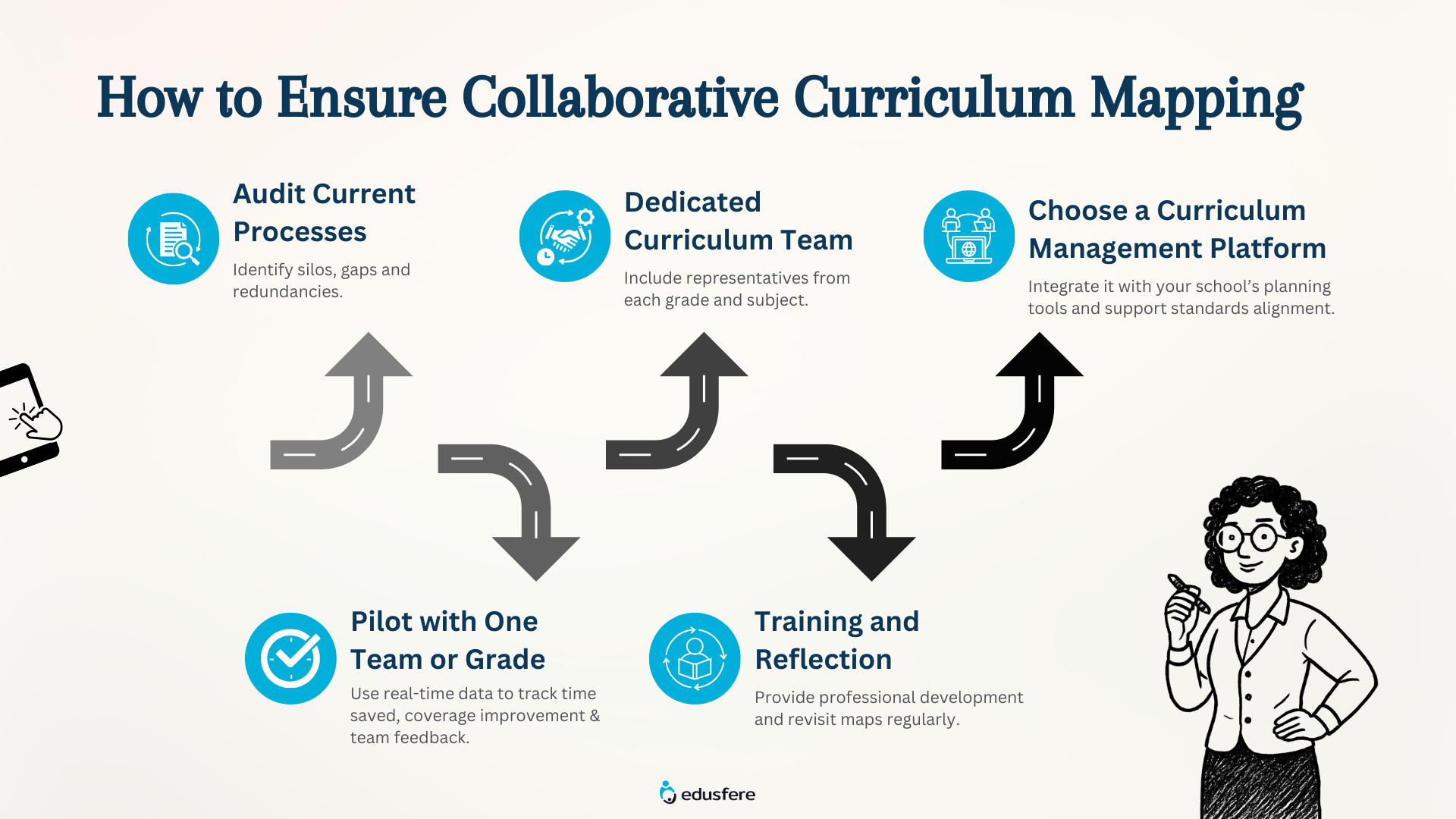
Do you think you're ready to shift from reactive planning to proactive collaboration? Here’s how you can begin:
1. Audit your current processes: Identify silos, gaps and redundancies.
2. Set up a dedicated curriculum team: Include representatives from each grade and subject.
3. Choose a curriculum management platform: Ensure that it integrates with your school’s planning tools and supports standards alignment.
4. Pilot with one team or grade: Use real-time data to measure time saved, coverage improved and team feedback.
5. Expand with training and reflection: Provide professional development and revisit maps regularly to maintain relevance.
Key Takeaways
- Curriculum mapping helps schools align teaching across classrooms and grade levels
- A shared Teachers Workspace improves collaboration and reduces planning silos
- Better lesson plans come from visibility, teamwork and live curriculum data
- AI can accelerate planning when paired with strong instructional systems
- Digital curriculum tools support consistency, efficiency and student success
Frequently Asked Questions (FAQs) about Curriculum Mapping
Curriculum mapping is the process of organizing what students learn, when they learn it and how learning objectives connect across subjects and grade levels.
Why is curriculum mapping important?
It helps schools reduce duplication, close learning gaps, improve standards alignment and create more consistent student experiences.
How does a Teachers Workspace help educators?
A Teachers Workspace gives educators a shared environment to build lesson plans, collaborate with peers, access resources and monitor curriculum progress.
Can curriculum mapping improve lesson plans?
Yes. Teachers can create stronger lesson plans when they can see previous learning, upcoming objectives and shared resources across teams.
How does AI support Curriculum Mapping?
AI can speed up planning, suggest aligned content, identify gaps and provide insights from student data while teachers remain in control of decisions.
Is Curriculum Mapping only for large schools?
No. Small schools, districts and multi-campus institutions can all benefit from clearer planning systems and collaborative workflows.
How to shift from Isolation to Instructional Impact
Curriculum mapping is more than a compliance tool; it’s a foundation for schoolwide instructional excellence. When supported by a digital teacher workspace and intuitive curriculum management software, it becomes a powerful engine for alignment, transparency and student achievement.
For schools committed to raising instructional quality and fostering collaboration, the message is clear: curriculum mapping must be dynamic, digital and shared. With Edusfere, schools can equip teaching teams with the tools they need to align learning, reduce planning burdens and move forward together.
To understand how Edusfere can transform your instructional process into a collaborative learning experience, schedule a demo session with us today!
Reviewed by:
Grant Wootten , Founder & CEO, Edusfere