
Lesson Planning
From Idea to Lesson Plan. Without the Extra Hour.
Lesson planning software that saves time, respects teacher judgment and connects every plan to your curriculum map.
Teachers already know what they want to teach. The slow part is writing it all up. Edusfere speeds up the documentation without making decisions for the teacher.
Planning that takes minutes, not evenings
Smart Assist and a ready-made structure take the busywork out of planning, so teachers spend their time on teaching.
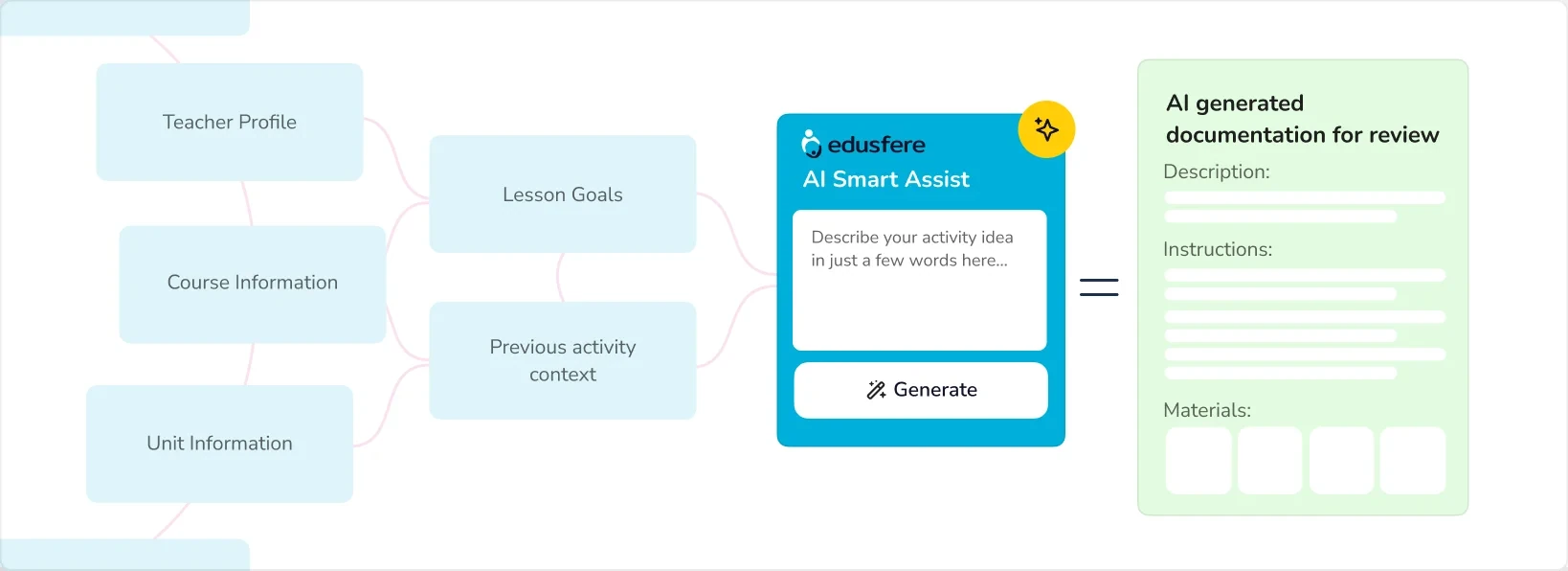
is all Smart Assist needs to turn a teacher's activity idea into complete, structured activity documentation
on average to turn activity ideas into a fully laid out lesson plan
to map out your entire course
Smart Assist
A Few Words In. A Complete Activity Out.
Turn a Three-Word Idea Into a Complete Activity
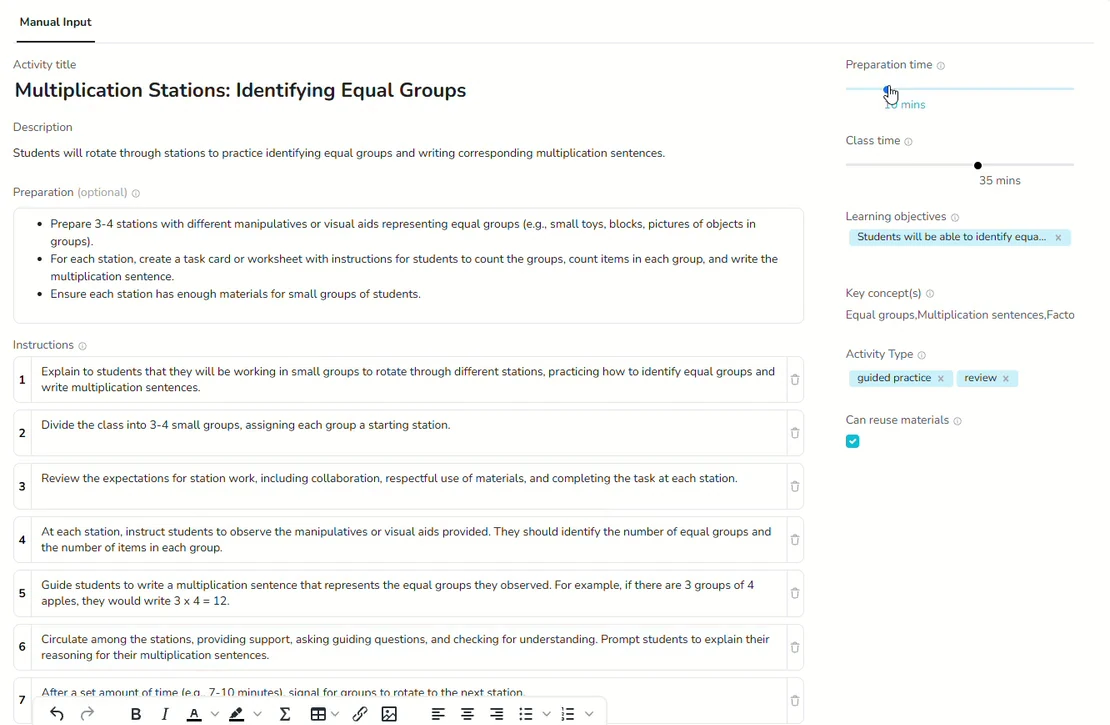
A teacher types "stations activity for multiplication sentences; identifying equal groups." Smart Assist uses the course and unit context to turn it into complete activity documentation that fits the class: prep steps, instructions, materials, timing and objectives. Teachers review and edit everything, and add any digital files or links, before it's saved. The idea is the teacher's. Smart Assist just saves the write-up.

Lesson and Unit Importer
Bring In the Plans You Already Have
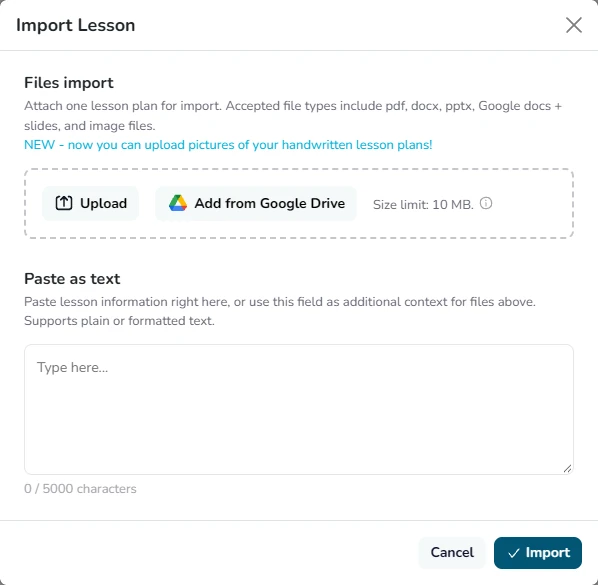
Teachers have years of plans saved in folders and drives. The Lesson Importer and Unit Importer bring them into Edusfere without retyping, ready to connect to your curriculum map.
- Import PDF, Word, PowerPoint, Google Docs and Slides, or pull straight from Google Drive
- Snap a photo of a handwritten plan and import that too
- Connect imported plans to the right unit and standards in a few clicks
- Plans stay with the school when staff move on
Connected Planning
Lesson Plans That Live Inside Your Curriculum
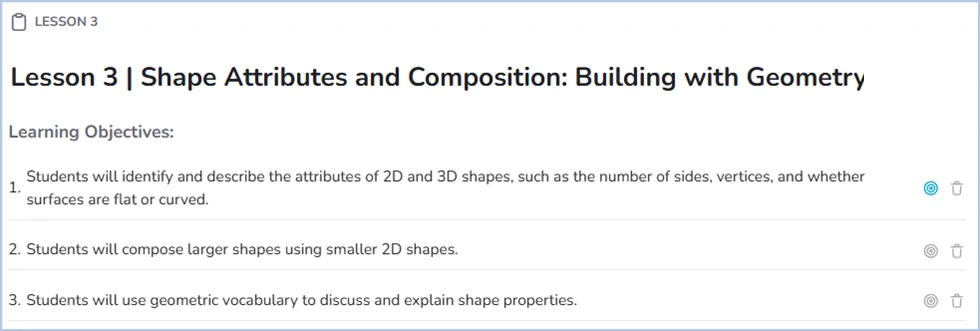
When lesson plans live apart from the curriculum map, the two never line up. In Edusfere, every plan sits inside the Course Hub, tied to its unit, subject, grade and standards, so leaders can see what's taught without asking for reports.
- Every lesson plan lives inside the curriculum map, not in a separate folder
- Leaders see lesson coverage across subjects and grades without extra reporting
- New teachers can start from shared plans on day one
Class Calendar
Your Plans, on Your Schedule
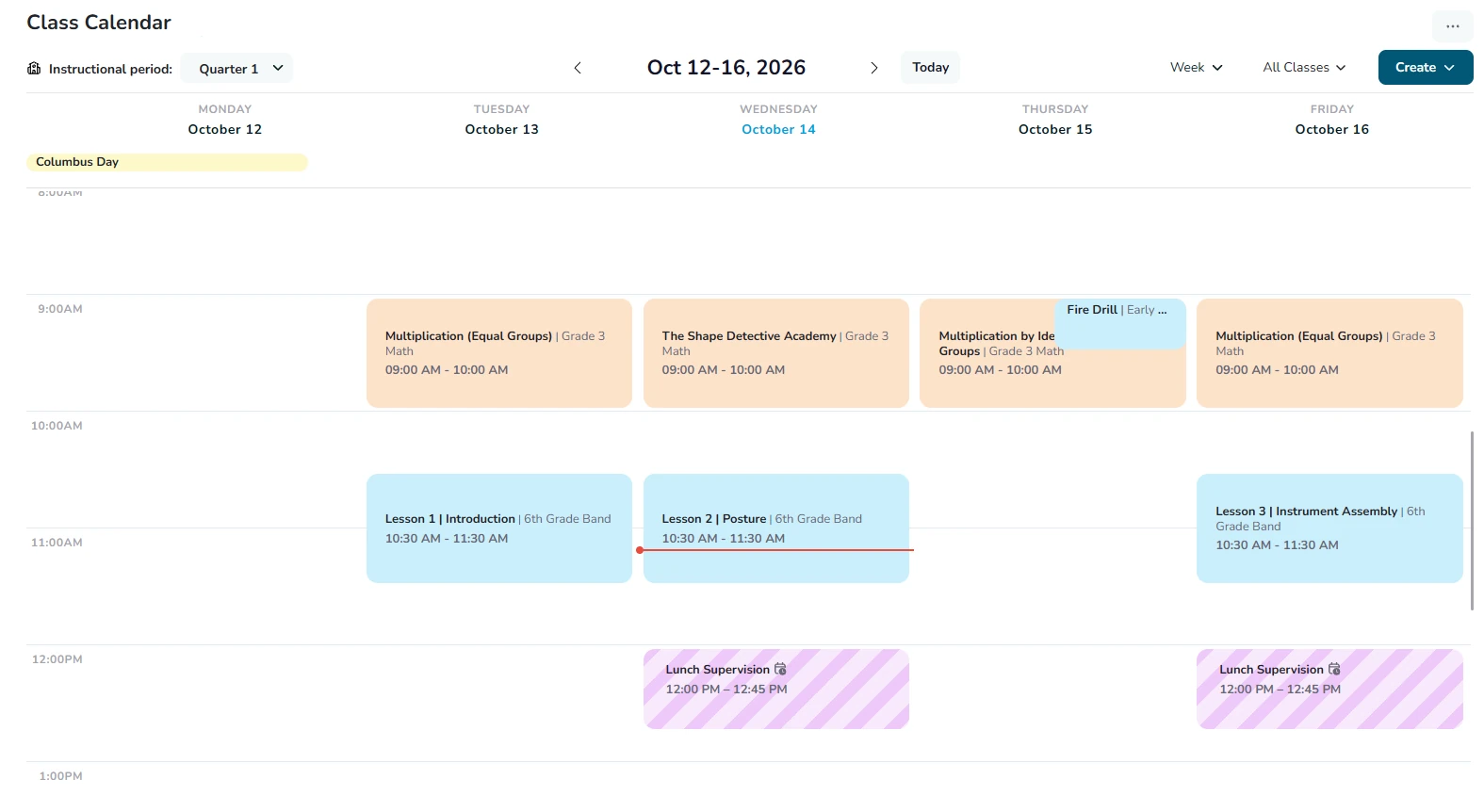
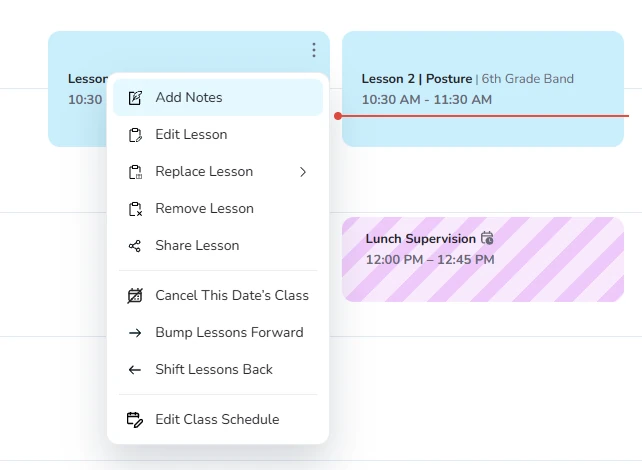
Set up each class's schedule once and Edusfere works like a digital lesson planner that fills itself in, placing your lessons on the calendar and skipping the holidays your school has set. When plans change, move everything with a click.
- Lessons fill in automatically from your Course Hub
- Bump lessons forward or shift them back when the schedule changes
- Add notes, cancel a day or share a day's lesson right from the calendar
- Add events like planning periods and duty times
Share and Print
Sub-Ready in Seconds
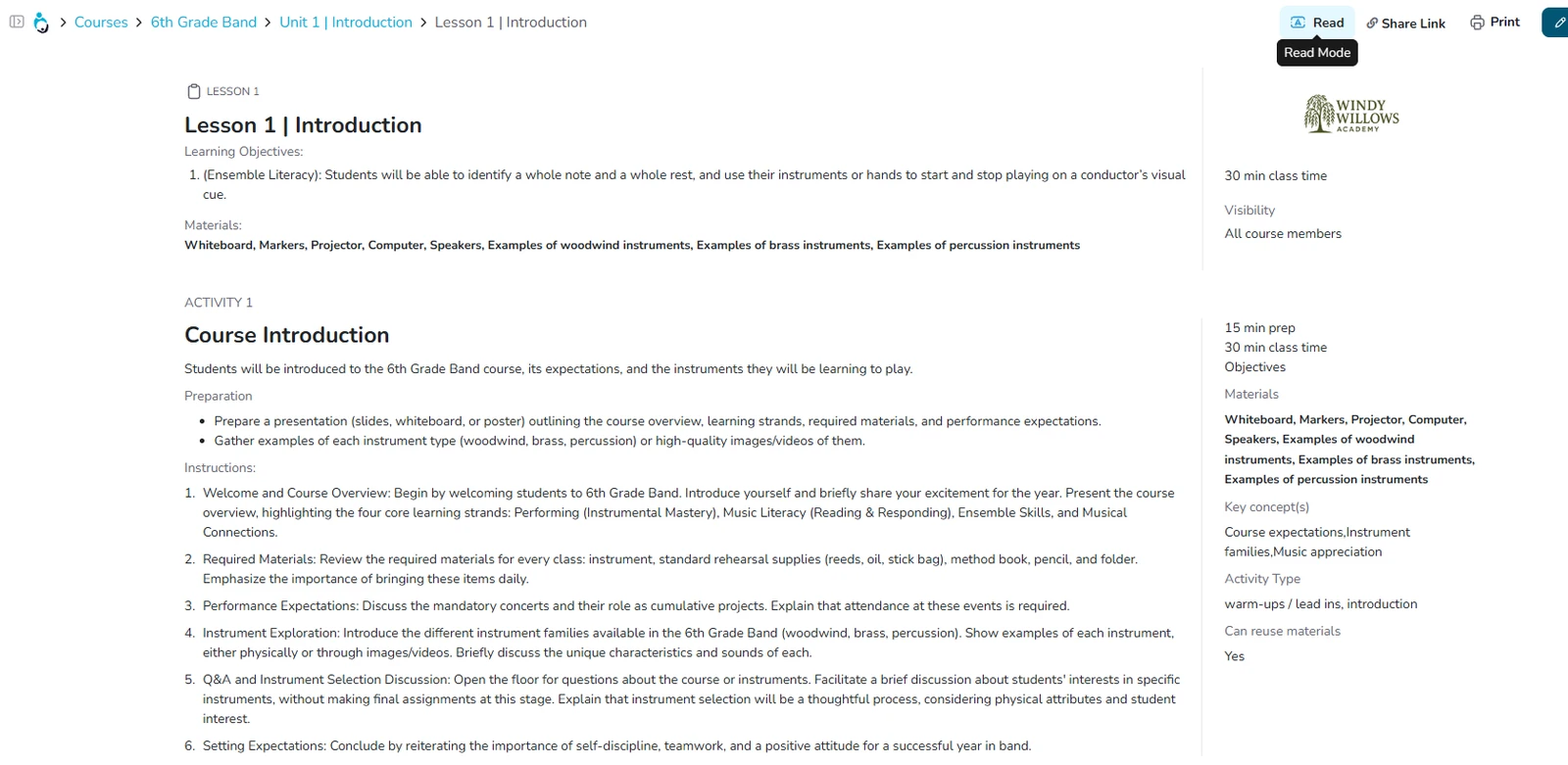
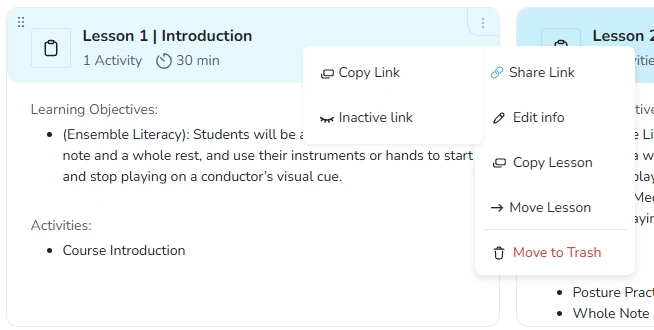
Every lesson can be shared or printed in a couple of clicks, so a substitute, co-teacher or parent always sees the current plan.
- A read-only Share Link that includes all lesson materials and stays up to date as you edit
- Print any lesson in compact, expanded or custom format
- Read mode shows the full lesson cleanly, ready to teach from
- Turn a Share Link off at any time
Materials and Google Drive
Every Resource, Right in the Activity
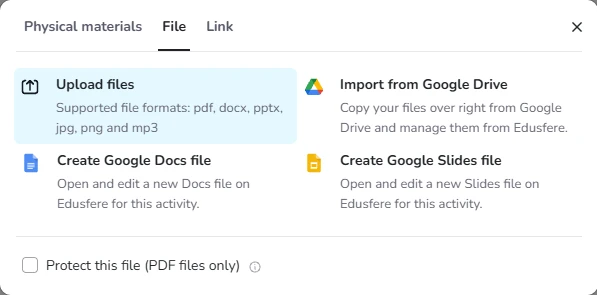
Keep everything a lesson needs in one place: the supplies to gather, the files to hand out and the links to share.
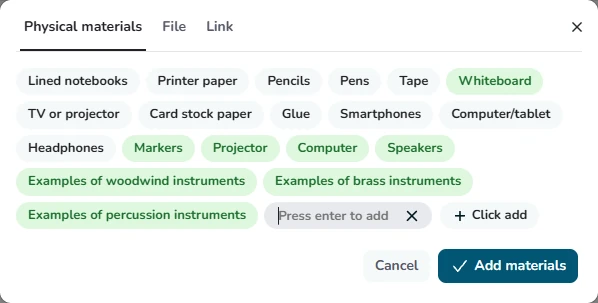
- Pick physical materials from a list, or add your own
- Upload PDF, Word, PowerPoint, image and audio files
- Import files from Google Drive, or create Google Docs and Slides right inside Edusfere
- Add links to videos and websites
Teacher Control
Time Saved. Judgment Kept.
The teacher comes up with the idea. Smart Assist writes it up as a full activity, and the teacher reviews and edits every word before it's saved, so every plan reflects real teacher expertise.
- Every activity starts with the teacher's own idea
- AI handles the write-up; the teacher reviews and edits it
- Curriculum reviews reflect genuine teacher judgment
"The ease of writing lesson plans has finally been discovered! Sharing plans and posting them in our school communication system is so beautiful! Thank you for saving me hours of work."
Shana Fry · Google review